Pytorch下载及CUDA安装
经过多次踩坑,建议安装最新的Anaconda,创建虚拟环境以支持Pytorch对Python3.8-3.11的需求。
踩坑的是安装旧版本(2023年9月的Anaconda其中的Python版本是3.11.5)。虽然旧版本对Pytorch支持,但是旧版本不是最新版的Notebook。安装旧版本会在Jupyter notebook中出现很多bug,譬如说:通过Anaconda Prompt输入jupyter notebook 可以正常访问 Host,但是打开Jupyter notebook图标不行,如果通过pip更新notebook,则会出现jupyter notebook闪退等问题。
踩坑之后我发现清华源中有python3.12支持pyrotch。

综上所述,建议安装最新版Anaconda。
1、清华源安装Anaconda
点击下载:Anaconda3-2024.06-1-Windows-x86_64.exe
Anaconda安装参考:一文安装anaconda
2、安装CUDA
可以先查看自己的cuda版本,
1、打开NVIDIA控制面板。
2、点击系统信息。
3、点击组件。查看NVIDIA CUDA 版本。
如图:我安装的是 12.4

这里建议的CUDA版本是11.8、12.1、12.4
安装CUDA方法:点击进入 CUDA-toolkit-archive
选择合适的版本进行安装。
譬如:11.8、12.1、12.4

3、安装Pytorch
这个是截止到2024年9月,Pytorch的安装环境需求。

3.1、 创建虚拟环境
1、查看虚拟环境
conda info --envs
一般情况下,只有一个base环境
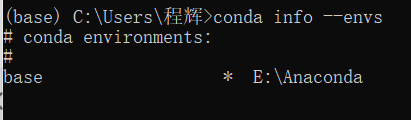
2、更改默认源
个人习惯,不适用默认安装源(下载慢)。推荐使用清华源。
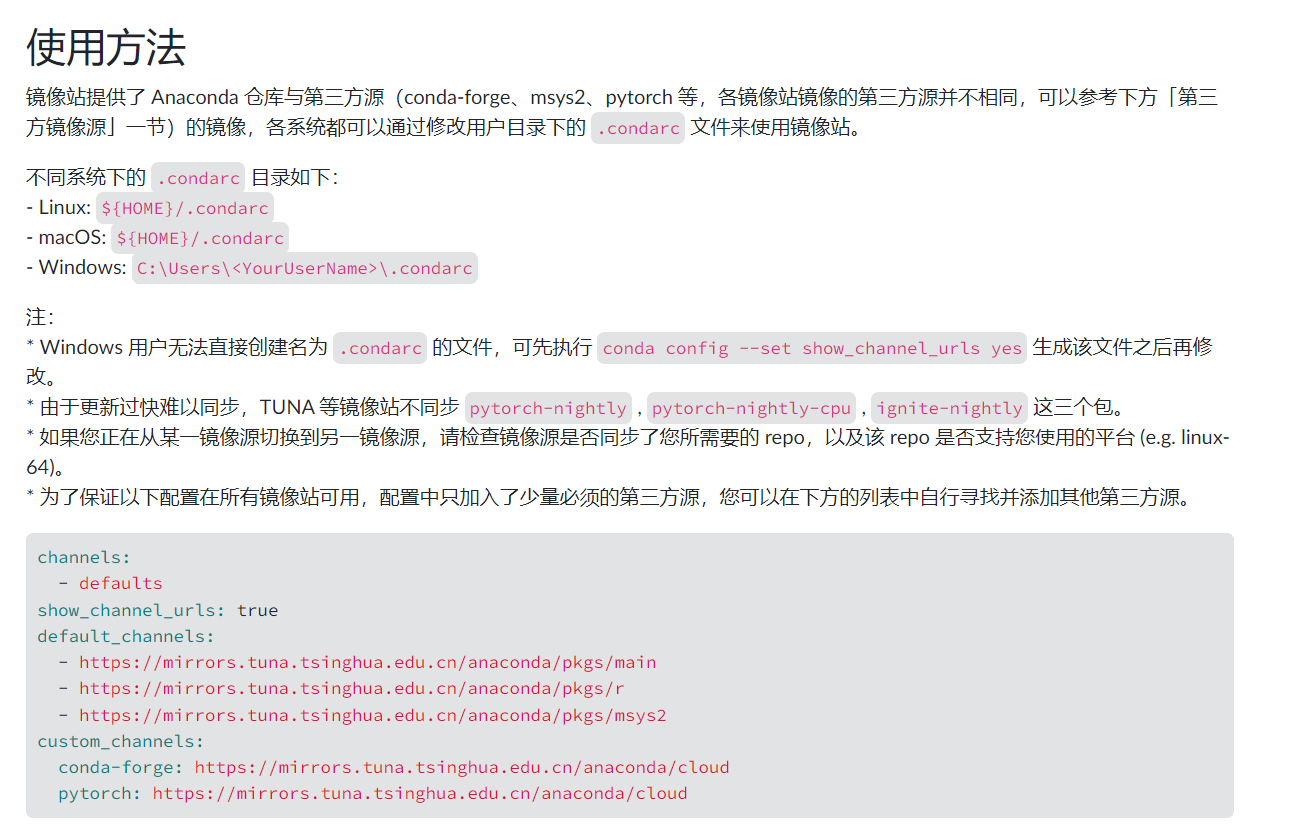
第一步:在Anaconda Prompt中,输入以下命令:
(.condarc 文件来使用镜像站)
conda config --set show_channel_urls yes
第二步:依次打开一下路径
此电脑、C盘、用户、<你的用户名>
右键单击,打开方式用记事本或者Pycharm。
将一下代码输入进去,并保存。
channels:
  - defaults
show_channel_urls: true
default_channels:
  - https://mirrors.tuna.tsinghua.edu.cn/anaconda/pkgs/main
  - https://mirrors.tuna.tsinghua.edu.cn/anaconda/pkgs/r
  - https://mirrors.tuna.tsinghua.edu.cn/anaconda/pkgs/msys2
custom_channels:
  conda-forge: https://mirrors.tuna.tsinghua.edu.cn/anaconda/cloud
  pytorch: https://mirrors.tuna.tsinghua.edu.cn/anaconda/cloud
3、创建torch环境
在Anaconda Prompt中输入:
conda create --name torch python==3.11.5
–name的意思是创建一个名叫torch的环境(你也可以改为其他名称)
python==3.11.5 的意思是创建的torch的环境中Python解释器的版本是3.11.5.(创建版本范围在3.8-3.11之间)
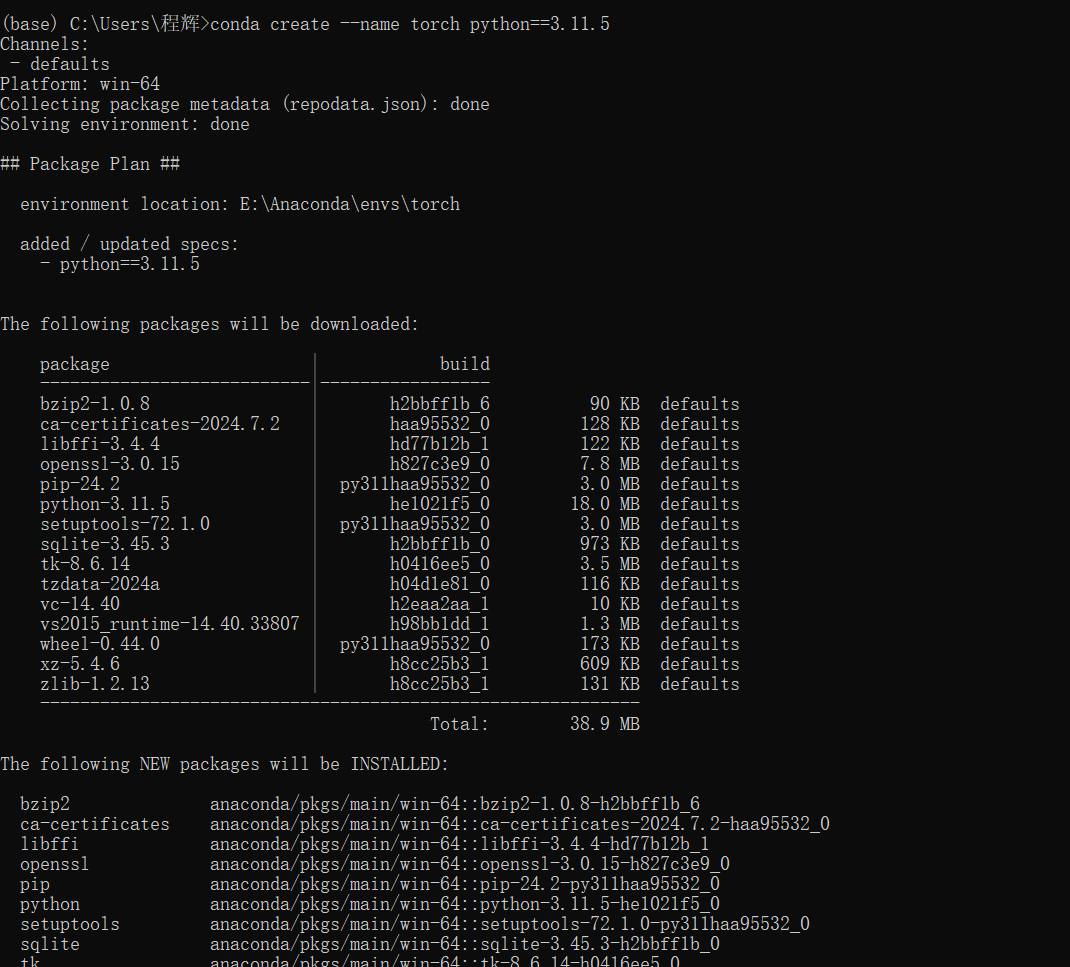
接着输入y,并按回车。
安装完成后输入以下命令进入torch环境中
activate torch
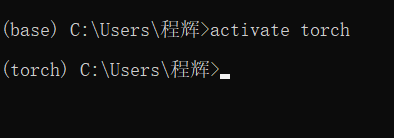
区别环境的方法就是看输入行最左端括号内的名称。
给虚拟环境添加清华源。
pip config set global.index-url https://mirrors.tuna.tsinghua.edu.cn/pypi/web/simple

通过这个代码进行查看pip使用的源
pip config list

如果CUDA已经安装好,可以直接运行以下代码:
pip install torch==2.4.1+cu124 torchvision==0.15.1+cu124 torchaudio==2.0.1+cu124 -f https://download.pytorch.org/whl/torch_stable.html
打开Anaconda Prompt,输入上述对应版本的命令。
!](https://i-blog.csdnimg.cn/direct/34a0cafb90484a60aaf941edcc556e14.png)

python
import torch
torch.cuda.is_available()
返回True就代表可以安装完成了。

2万人民币佣金等你来拿,中德社区发起者X.Lab,联合德国优秀企业对接开发项目,领取项目得佣金!!!
更多推荐


 21
21 0
0- 0


 已为社区贡献1条内容

所有评论(0)